|
|
|
Wireless File and Print Solutions
for
Palm OS, Pocket PC, Symbian UIQ and Nokia Series 60 Handhelds and Smartphones
|
| Downloads |  |
Products | |
Support | |
Purchase | |
News | |
Partners | |
Developers | |
About Us | |
For Palm OS handhelds |
Safely and easily backup your handheld files and programs to your network OR your memory expansion card
Restores your files in case of data loss or corruption, hard reset, or theft/loss of handheld. Want to enable your handheld to back up your Palm to your network? Click Here |
|
|

|
|
|
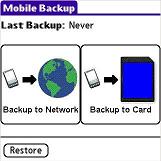
Step 1: Choose whether to backup your files to your network or your expansion card:
|
Step 2: Verify your network settings:
|
|
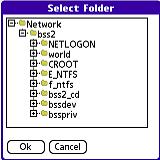
Step 3: Select the network location to backup to:
|
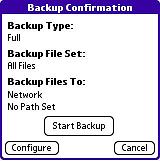
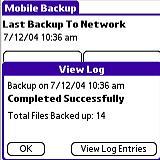
Step 4: Tap the Start button, and your selected files are automatically backed up to your network!
|
|
Compare Features - Which product is right for you?
**FilePoint Wireless Edition is only available bundled with selected third party software, handhelds and accessories
|